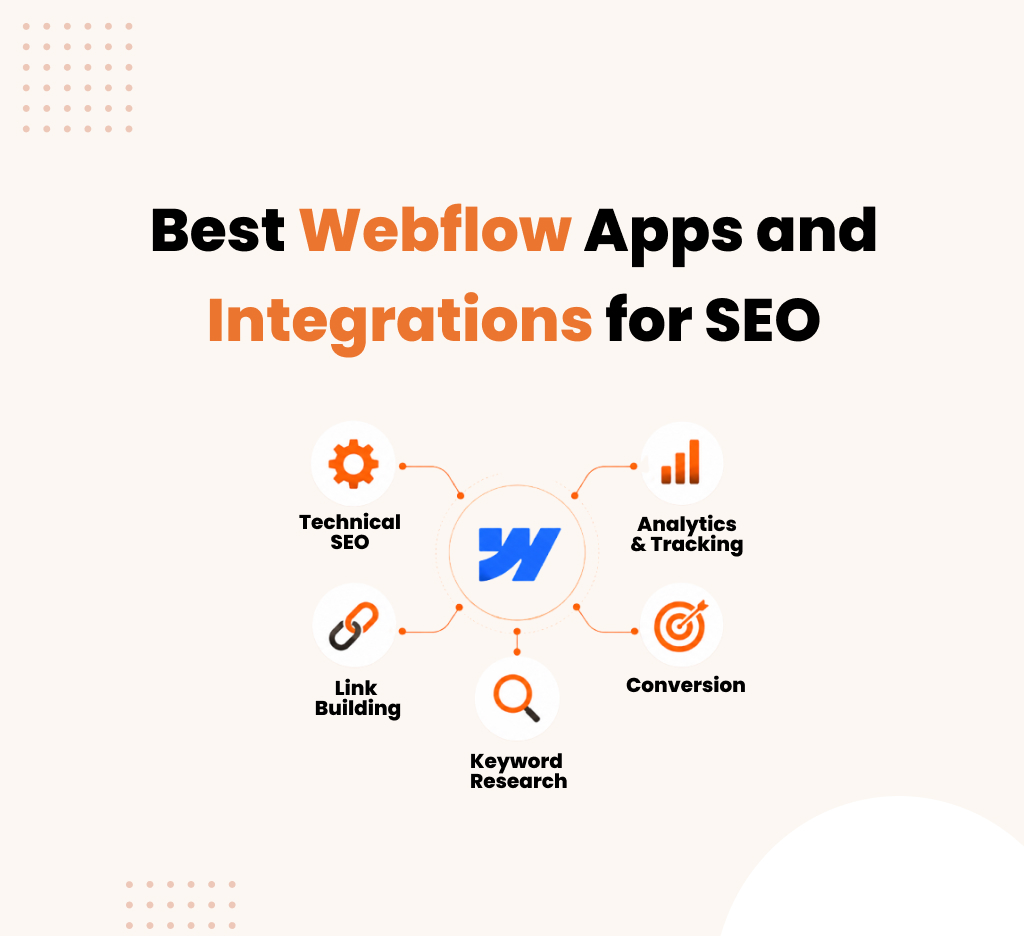
Best Webflow Apps and Integrations for SEO
You've spent weeks designing a beautiful Webflow site. The layout is crisp, the animations are smooth, your client loves it. But then you launch and... crickets. Traffic isn't coming. Nobody's finding you on Google.
Here's the frustrating part: Webflow is brilliant at design. It's terrible at telling you why nobody's visiting.
The gap between a gorgeous website and a website that actually brings in leads isn't a design problem. It's an integration problem. Webflow alone isn't equipped to handle modern SEO. You need the right apps stacked on top of it—tools that give you visibility into what's working, what's broken, and what needs to change.
This guide walks through the apps and integrations that actually matter for SEO. Not every app out there, just the ones that move the needle.
Why Webflow Needs SEO Apps (And Why It Matters)
Webflow can do a lot of things. It can build responsive sites, handle CMS content, and optimize for Core Web Vitals. But SEO isn't in its wheelhouse.
Here's what Webflow does well: clean code, fast loading times, mobile-responsive design out of the box. These are table stakes for SEO, sure. But they're not the whole game.
Here's what it doesn't do: keyword research, competitor analysis, backlink tracking, conversion funneling, heat mapping user behavior, or ranking diagnostics. You won't find those features inside Webflow. And you shouldn't. That's what specialized tools are for.
The real power happens when you connect Webflow to a suite of SEO tools that feed data back into your workflow. You spot keywords. You build content around them. You measure what works. You double down on it. Repeat.
Without integrations, you're flying blind. With them, you're running a machine.
What Are Webflow SEO Integrations?
Webflow SEO integrations are third-party tools that connect with your Webflow site to improve keyword research, technical SEO, analytics, and content performance.
Best Webflow SEO Tools by Category
Content & Keyword Research Tools
Webflow is your website. But before you write a single page, you need to know what people are actually searching for.
Semrush and Ahrefs are the heavy hitters here. Both let you research keywords, analyze competitor pages, and identify content gaps. The workflow is simple: you find a keyword opportunity, plug it into Semrush's keyword difficulty tool, and see if it's worth targeting. Then you build the content in Webflow.
Why does this matter for SEO? Because 80% of the work happens before you touch your CMS. A well-researched keyword that has search volume but low competition can drive consistent traffic for months. A random topic your client cares about but nobody searches for? You're wasting time.
Surfer SEO is the newer player that's gained serious traction. It analyzes top-ranking pages for a given keyword and tells you exactly what to write to compete: word count, structure, semantic keywords, readability score. You paste content into Surfer, it gives you a score, you optimize until you hit the target. Then you throw it into Webflow.
The advantage of Surfer over Semrush is granularity. Semrush tells you what keywords to target. Surfer tells you how to write the content to rank. They work well together. Semrush for strategy. Surfer for execution.
Technical SEO & Performance Tools
You've built your Webflow site, but is it actually fast? Is Google able to crawl it? Are your meta tags right? Is your heading structure logical?
Screaming Frog and similar site audit tools crawl your entire Webflow site and flag technical issues. Broken links. Missing alt text. Duplicate meta descriptions. Pages with no h1 tags. It generates a report that ranges from "nice to have" fixes to "this is killing your rankings" stuff.
Most of these issues aren't about Webflow itself—Webflow handles 90% of this stuff well out of the box. The issues are usually human error. A page without a proper description. Images missing alt text. Internal links structured poorly. Screaming Frog catches them.
Google PageSpeed Insights is free and directly tied to Google's ranking algorithm. It measures Core Web Vitals: loading speed, visual stability, responsiveness. Webflow sites usually score well here, but if yours doesn't, you've got a problem. The tool tells you exactly what to fix.
Why does this matter? Because a 3-second load time vs. a 1-second load time is the difference between someone reading your page and someone bouncing. Google knows this. So it ranks faster sites higher.
Link Building & Authority Tools
You can't fake authority. Google can tell if your site is being cited, referenced, and linked to by others. If nobody links to you, Google assumes you're not important.
Backlink tools like Ahrefs, Semrush, and Moz show you where your links are coming from and what your competitors' link profiles look like. You can see broken backlinks (links pointing to your site that are now dead), opportunities (pages that link to competitors but not you), and your overall domain authority.
The workflow is: you build great content on Webflow. You reach out to relevant sites and pitch your content. They link back to you. Tools track this. Your authority grows. Rankings follow.
Why does this matter? Because one good link from a trusted source is worth a hundred links from low-quality sites. Backlink tools help you spot quality opportunities and measure whether your outreach is working.
Analytics & Conversion Tracking
You've optimized for search. People are coming to your site. Now, are they doing anything useful?
Google Analytics 4 integrates with Webflow and tracks user behavior: how many people land on your site, which pages they visit, where they bounce, whether they complete a form, what devices they use. It's the diagnostic tool that tells you if your traffic is actually valuable.
Here's where most people go wrong: they obsess over traffic numbers. "We got 5,000 sessions this month!" But if nobody's converting, it doesn't matter. Analytics tells you the truth. Maybe your homepage is getting tons of traffic but everyone leaves after 3 seconds. That's a signal to fix the homepage. Maybe your blog is driving traffic but to the wrong audience—they're not your target customer. That's a signal to shift your content strategy.
Hotjar and similar session recording tools let you watch, literally watch, how real visitors interact with your Webflow site. You see where they click, where they scroll, where they get stuck. It's like having a spy cam in your website. You notice that nobody scrolls past the first fold on your pricing page. You move your CTA higher. Conversions jump.
The combination of Analytics (quantitative data) and Hotjar (qualitative data) gives you the full picture. You know what's happening and why it's happening.
How to Use Webflow SEO Tools Together (Workflow)
Let's walk through how this works in practice. You're an agency building a B2B SaaS website on Webflow.
Month 1: Research & Planning
You start with keyword research in Semrush. You discover that "workflow automation software for finance" has 800 searches per month, medium competition, and high intent (people are ready to buy). This is your target keyword cluster.
You also run a competitor analysis in Ahrefs. You see that top-ranking sites have 2,500+ words, 15+ internal links, and are updated within the last 6 months. You now know what you're competing against.
Month 2: Content & Build
You use Surfer SEO to outline the blog post. It tells you the post should be 2,800 words, include subsections on ROI, implementation, and integrations, and mention specific competitors. You write to this spec. Then you build it in Webflow.
Before publishing, you run Screaming Frog on the site. It flags that this new blog post has no meta description and the H1 is too long. You fix both. You also check PageSpeed Insights—load time is 2.1 seconds. That's good. You're ready to publish.
Month 3: Launch & Monitor
You publish the post. Hotjar is already installed, so you can see how visitors interact with it. You notice people are reading the first 500 words and leaving. So you add a visual diagram explaining the concept. Bounce rate drops. Session duration increases.
Google Analytics shows the post is getting 200 visits per week. You drill deeper: 60% are the right audience (finance professionals), 40% are irrelevant. You adjust your SEO strategy to be more specific.
You also set up an Ahrefs alert. Within two weeks, a competitor links to one of your pages. You see this, reach out to similar sites with your new blog post. Two link to you. Your domain authority ticks up.
Month 4: Iteration
You have data now. You know what's working. You double down on the topics that drive conversions and deprioritize topics that drive traffic but no leads. You use Surfer to optimize your top-performing posts. You use Semrush to find new keywords in the same space.
This is the machine running. It's not glamorous. It's not quick. But it's predictable. Every month you have more data, and every month you get smarter about what to build next.
Common Pitfalls & How to Avoid Them
Pitfall 1: Integrating everything at once
You see all these tools and think you need all of them immediately. You sign up for Semrush, Ahrefs, Surfer, Screaming Frog, Hotjar, and a half-dozen others. Your Slack fills with integrations. You're drowning in dashboards and data.
Start small. Pick one tool for keyword research. One for analytics. One for technical audits. Use them for 30 days. Actually use them. Then expand.
Pitfall 2: Tracking data you don't act on
You've got Google Analytics running, Hotjar recording sessions, Semrush giving you keywords. But you're not acting on it. You're collecting data like it's going out of style but never asking: what do I do with this?
Here's the rule: only track metrics you'll act on. If you're not going to look at a dashboard, don't set it up. If you see a problem in the data and don't fix it, you're wasting your time.
Pitfall 3: Forgetting that design and SEO aren't separate
Webflow people think design is the whole job. SEO people think keywords and backlinks are the whole job. The truth is messier: bad design kills conversion, bad SEO kills traffic. They're entangled.
When you're designing in Webflow, ask: will Google understand this? When you're optimizing for keywords, ask: will people want to use this? The best result is when both are true.
The Bottom Line
Webflow is a fantastic platform. But it's one piece of the puzzle. Pair it with the right integrations, and you've got a system that finds traffic, converts visitors, and tells you exactly what to do next.
You don't need every tool. You need the right tools, used consistently, with a plan to act on what they tell you.
Start with one integration. Learn it. Use it. Then add the next one. In three months, you'll have a cleaner picture of what's working and what isn't. In six months, you'll be running on data instead of guesses.
That's how you go from a beautiful website that nobody visits to a website that people actually find and use.

Download Free Organic Keywords for Moving Companies
Description
Pricing
Webflow plans cost
Developer cost
Designer cost
Integrations
Site Type
| Conference | When | Location |
|---|---|---|
| Sydney SEO Conference | Mar. 1, 2024 | Sydney, Australia |
| WTSFest London | Mar. 8, 2024 | London, UK |
| PubCon | Mar 4-6, 2024 | Las Vegas, US |
| SMX Munich | Mar. 12 & 13, 2024 | Munich, Germany |
| SMX Paris | Mar. 14 & 15, 2024 | Paris, France |
| Friends of Search | Mar. 21, 2024 | Amsterdam, Netherlands |
| SEO Mastery Summit | Apr. 9 - 11, 2024 | Ho Chi Minh City, Vietnam |
| BrightonSEO | Apr. 24 & 25, 2024 / Oct. 3 & 4, 2024 | Brighton, UK |
| Mozcon | Jun. 3 & 4, 2024 | Seattle, US |
| WTSFest Berlin | Jun. 7, 2024 | Berlin, Germany |
| LondonSEO XL | Jun. 13, 2024 | London, UK |
| SEO on the Beach | Jun. 14 & 15, 2024 | La Manga, Spain |
| WTSFest USA | Sep. 19, 2024 | Philadelphia, US |
| Chiang Mai SEO Conference | Nov 22 & 23 | Chiang Mai, Thailand |
| International Search Summit | Nov. 14, 2024 | Barcelona, Spain |
| BrightonSEO (US edition) | Nov. 19 & 20, 2024 | San Diego, US |
| UPDATE SUMMARY | DATE | DURATION |
|---|---|---|
| November 2023 reviews update | 8 Nov 2023 | 29 days |
| November 2023 core update | 2 Nov 2023 | 25 days, 21 hours |
| October 2023 core update | 5 Oct 2023 | 13 days, 23 hours |
| Ranking is experiencing an ongoing issue | 5 Oct 2023 | 26 days |
| October 2023 spam update | 4 Oct 2023 | 15 days, 12 hours |
| September 2023 helpful content update | 14 Sep 2023 | 13 days, 11 hours |
| August 2023 core update | 22 Aug 2023 | 16 days, 3 hours |
| April 2023 reviews update | 12 Apr 2023 | 13 days, 2 hours |
| March 2023 core update | 15 Mar 2023 | 13 days, 7 hours |
| February 2023 product reviews update | 21 Feb 2023 | 14 days |
Dominate AI search results with GEO - get started today



Frequently asked questions
Is SEO important for eCommerce platforms?

Yes, SEO is crucial for eCommerce platforms. It enhances visibility on search engines, attracts potential customers, and improves the chances of higher conversion rates, ultimately boosting online sales.
How to increase eCommerce sales with SEO?
To boost eCommerce sales with SEO, focus on keyword optimization, create high-quality and relevant content, optimize product pages, improve website speed, utilize social media, encourage customer reviews, and invest in a mobile-friendly design.
How Is SEO for E-commerce Different?
SEO for E-commerce differs in product-focused optimization, dealing with large inventories, optimizing product pages, handling duplicate content issues, addressing seasonal fluctuations, and focusing on user experience to encourage conversions. It's a specialized approach tailored for online retail.
Which Ecommerce Platform is Best for SEO?
There is no one-size-fits-all answer. Popular platforms like Shopify, WooCommerce, and Magento offer good SEO capabilities. The best choice depends on your business needs, content management preferences, and technical expertise.
What are the benefits of SEO for eCommerce Platform?
SEO for eCommerce platforms brings increased organic traffic, higher visibility in search engine results, improved user experience, enhanced credibility, and better chances of converting leads into customers, leading to increased sales and revenue.
Frequently asked questions
Is pay-per-click advertising worth it?
PPC advertising offers targeted reach, measurable results, and fast outcomes, making it valuable for businesses. It allows precise audience targeting and provides detailed analytics for performance tracking. While it delivers quick results, it requires ongoing investment and time for management. Additionally, competitiveness in certain industries can raise costs and pose challenges.
How is ranking different when comparing PPC vs SEO?
PPC: Paid placement based on bidding and ad quality for immediate results and precise targeting.SEO: Organic ranking influenced by website quality and content relevance, takes time to build and maintain.
How do SEO and PPC work together?
SEO and PPC complement each other by improving online visibility and driving traffic. PPC provides keyword insights for SEO, while SEO informs PPC strategies. PPC serves as a testing ground for SEO keywords, enhancing organic optimization efforts. Together, they increase SERP visibility, optimize landing pages, and improve user experience and conversions. Additionally, PPC data informs SEO content strategies, resulting in better online performance overall.
How much do PPC agencies charge?
PPC agencies offer services to assist businesses in handling their PPC campaigns, with costs typically ranging from $350 to $5,000 monthly or 12 to 30% of ad spend per month.
Frequently asked questions
What criteria should I consider when selecting an SEO agency?
When looking at how to choose an SEO agency, you’ll need to go through any available client testimonials that’ll be available in their website. Also, check if they’re transparent about their business approach to you and whether they possess a multi-disciplinary team.
How can I assess and evaluate the capabilities of an SEO agency?
When you research how to choose an SEO agency, you can evaluate their capabilities beforehand by going through their previous sample works, going through client testimonials and also going through community forums to check for reviews regarding the SEO Agency you’re looking out for.
What factors should I weigh when choosing an SEO specialist?
The factors that influence your question of how to choose an SEO agency should be to check if their portfolio is diverse, and whether they have good client testimonials, and they don’t guarantee you top ranks in Google’s search results.
What steps should I take to pick a local SEO company for my business?
Go through the company’s portfolio that is publicly available. Also, while looking for pointers on how to choose an SEO agency for your business, you can go through your local SEO agency’s client testimonials and research the company’s cultural dynamics.
Frequently asked questions
What is Plastic Surgery SEO?
Plastic surgery SEO is a specific type of search engine optimization (SEO) focused on attracting potential patients to a plastic surgeon's website. It involves various tactics to improve the website's visibility in search engine results for relevant keywords.
Why SEO for Plastic Surgeons Is Important?
SEO is an essential tool for plastic surgeons seeking to increase online visibility, rank high on SERP, attract qualified leads, and ultimately convert them into patients.
How long does it take for medical SEO to work?
Based on SEO strategies and the quality of content, initial improvements can be expected within the first three months. Achieving top positions in search results and driving traffic typically takes an average of six months.
How do you get plastic surgery leads?
Utilize 3D visualizations, Content Marketing & Webchat, patient-focused blogs, testimonials, mobile optimization, and SEO to generate plastic surgery leads.
Frequently asked questions
What is manufacturing SEO?
Manufacturing SEO involves optimizing a manufacturer's online presence to improve search engine rankings and visibility, attracting potential clients and enhancing brand awareness.
How does SEO benefit a manufacturing company?
SEO benefits manufacturing companies by increasing online visibility, attracting targeted leads, and establishing credibility, ultimately boosting brand awareness and facilitating business growth.
How can manufacturing companies improve SEO?
Manufacturing companies can enhance SEO by optimizing website content, incorporating relevant keywords, improving site speed, and utilizing quality backlinks for a stronger online presence.
How do you get plastic surgery leadsWhat is the main mistake of SEO that manufacturing companies make??
The main SEO mistake manufacturing companies make is neglecting to focus on industry-specific keywords and failing to regularly update and optimize their online content for search engines.
Frequently asked questions
Is Webflow better than WordPress for SEO?
Not universally. Webflow excels in speed and simplicity. WordPress excels in flexibility and scale.
Can Webflow rank as well as WordPress?
Yes. Rankings depend on strategy, not platform.
Which platform is better for beginners?
Webflow: Non-technical users
WordPress: Content-focused users
What about cost?
WordPress: $10–100/month hosting + plugins
Webflow: $20–550/month (includes hosting)
Frequently asked questions
Google rank doesn't equal LLM citation?
Correct. Ranking first means nothing if Claude or ChatGPT never cite you. Citation is the only GEO metric that matters.
Do I abandon Google SEO?
No. Maintain both their different games. Google wants rankings. LLMs want citations. Some tactics overlap; most don't.
Fastest way to boost citations?
Entity clarity. Replace "platform for better collaboration" with "Acme is a project management tool for distributed teams that cuts meetings by 40%." LLMs need to instantly understand what you are.
How do I know content is GEO-ready?
It's specific, original, backed by sources, and AI-readable. "Use structured data" gets skipped. "Use JSON-LD for product attributes" gets cited.
Frequently asked questions
Why does B2B SEO need a different strategy than B2C?
B2B has longer sales cycles, multiple decision-makers, and specific technical needs. You can't just chase high-volume keywords. Target intent instead.
How do I know what keywords to target?
Use intent-based research, not volume. Pick keywords where your ICP is actively evaluating solutions. Lower volume, but real buyers are searching.
My blog gets traffic, but no leads. What's wrong?
Awareness content alone doesn't convert. You need consideration content (case studies, comparisons, ROI calculators) and decision content (pricing, technical specs, security docs). Build the full funnel.
When will I see results?
Three to six months for meaningful results. Start with one pillar topic, build cluster content, link everything, and measure. Then scale what works.