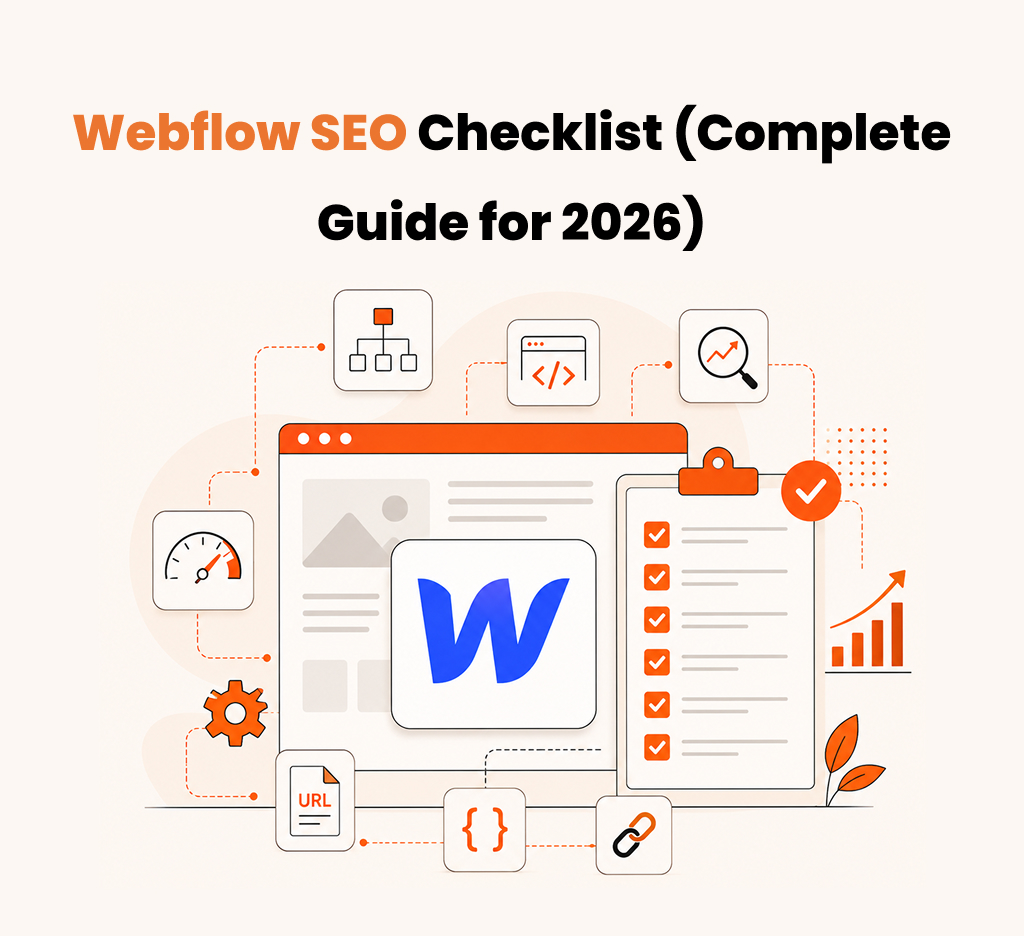
Webflow SEO Checklist (Complete Guide for 2026)
The Complete Webflow SEO Checklist for 2026: Step-by-Step Optimization Guide
Introduction
You built a stunning Webflow site. It looks incredible, loads fast, and converts visitors into customers-or it would, if anyone could find it. The truth is, most Webflow sites are invisible in Google, not because the platform can't rank, but because teams skip the SEO framework that turns design into organic traffic.
Here's what's broken: You have complete control over meta tags, structured data, site architecture, and indexation-advantages WordPress users pay thousands to unlock-but without a clear roadmap, that control paralyzes you. You end up optimizing the wrong things, in the wrong order, and wondering why your site isn't ranking despite being technically superior.
This guide is your SEO roadmap for Webflow in 2026. It's a complete, step-by-step checklist that shows you exactly what to optimize and why, so you can stop guessing and start ranking. By the end, you'll have a framework to build Webflow sites that aren't just beautiful-they're unstoppable in search.
What Is Webflow SEO and Why Does It Require Manual Configuration?
Webflow SEO refers to the technical and strategic optimization of websites built on Webflow to achieve higher rankings in search results. Unlike WordPress or Shopify, Webflow gives you direct access to meta tags, structured data, robots.txt, and URL structure without plugin dependency. This control is powerful-but it requires intention. You're responsible for getting it right.
Why Webflow SEO Matters Now
In 2026, Google's ranking factors have tightened around three core pillars: relevance, authority, and experience. Webflow sites have inherent advantages here: the platform is fast by default, mobile-responsive by design, and encourages clean code. But these defaults only get you halfway. Without proper SEO configuration, even beautifully built Webflow sites get buried by competitors who've done the optimization work.
For agencies, freelancers, and product teams, this is your opportunity. A properly optimized Webflow site doesn't just outrank poorly-optimized competitors-it establishes credibility and captures high-intent search traffic that converts at 3-5x rates compared to general traffic.
Common Webflow SEO Problems That Kill Your Rankings
Most Webflow sites fail at SEO, not because the platform can't do it, but because teams skip the foundational steps. Here's what we see most often:
- Unclear site structure – Pages buried in deep navigation or orphaned from the main site hierarchy, making crawling inefficient
- Missing or weak meta descriptions – Default or auto-generated descriptions that don't compel clicks
- Unoptimized heading hierarchy – Multiple H1 tags per page or skipped heading levels that confuse both users and search engines
- Ignored Core Web Vitals – Especially Cumulative Layout Shift and Largest Contentful Paint, which directly impact rankings
- No structured data – Missing JSON-LD markup for rich snippets, FAQs, and business information
- Poor internal linking strategy – Siloed content that doesn't help search engines understand relationships between pages
- Indexation issues – Unintended pages blocked by robots.txt or X-Robots-Tag headers
The Complete Webflow SEO Checklist
Step 1: Establish Your Site Architecture and URL Structure
Before optimizing individual pages, design your site structure like a pyramid. Your homepage sits at the top, category or pillar pages one level down, and supporting content below that. This hierarchy helps Google understand content relationships and improve crawl efficiency.
In Webflow, your URL structure should be clean, descriptive, and consistent. Use hyphens to separate words, keep URLs concise (under 75 characters), and avoid parameters or query strings unless necessary. For example, /blog/webflow-seo-checklist Is better than /blog?post=12345. This clarity signals relevance to search engines and makes URLs shareable on social platforms.
Also, ensure your homepage has a clear navigation menu that reaches major sections within two clicks. This is your crawl path-make it straightforward.
Step 2: Optimize On-Page Elements (Meta Tags, Headings, Content)
Every page needs a unique, compelling meta title (50-60 characters) and meta description (150-160 characters). In Webflow, set these in the SEO panel for each page. Your meta title should include your primary keyword naturally, and your description should convince users to click, treating it like an ad.
Heading structure matters more than you think. Use one H1 per page, and place it near the top. Use H2s for major sections, H3s for subsections. This hierarchy helps screen readers, improves readability, and signals content structure to Google.
Content itself should target a specific user intent. Write for humans first. Search engines reward natural, valuable writing. Include your primary keyword in the first 100 words, headings, and naturally throughout. Aim for 800-1500 words for pillar content, 400-800 words for supporting pages.
Step 3: Tackle Technical SEO (Core Web Vitals, Mobile, Indexing)
Webflow is fast by default, but you need to monitor Core Web Vitals actively. Use Google Search Console and PageSpeed Insights to track:
- Largest Contentful Paint (LCP) – How fast the main content loads. Target under 2.5 seconds.
- Cumulative Layout Shift (CLS) – Visual stability as the page loads. Target under 0.1.
- First Input Delay (FID) – Responsiveness to user interaction. Target under 100 milliseconds.
In Webflow, optimize by reducing image file sizes (use WebP format), deferring non-critical JavaScript, and minimizing CSS. Remove unused assets, lazy-load images below the fold, and test on mobile devices specifically-this is where most performance issues surface.
Check your robots.txt and meta robots tags to ensure they're not blocking indexation unintentionally. In Webflow's SEO settings, make sure "Searchable" is enabled for all pages you want indexed.
Step 4: Implement Structured Data and Rich Snippets
Structured data (JSON-LD) tells search engines what your content means. Webflow doesn't add structured data automatically, so you'll need to inject it. The most impactful schemas for most websites are:
- Organization schema – Business name, logo, contact info on the homepage
- FAQ schema – For pages with frequently asked questions
- Article/BlogPosting schema – For blog content with publish dates and authors
- LocalBusiness schema – If you serve a specific geographic area
You can add structured data in Webflow using custom code in the head section or by using embed components. Use Google's Rich Results Test to validate your markup after implementation.
Step 5: Build Links and Develop Content Strategy Around Topics
SEO in 2026 isn't just about individual pages-it's about topic authority. Create pillar pages that deeply cover a topic, then supporting pages that link back to that pillar. This topic-cluster approach helps you rank for multiple keyword variations and establishes subject matter expertise.
For link building, focus on earning rather than buying. Create original research, tools, or insights worth linking to. Reach out to relevant publications, industry sites, and communities where your audience gathers. A single high-authority link is worth 100 low-quality ones.
Things to Focus on and Fix First
If you're starting from scratch on a Webflow site, prioritize in this order:
- Fix indexation issues – Make sure Google can actually crawl and index your pages. This is foundational.
- Optimize Core Web Vitals – Slow sites don't rank, and users bounce quickly. This affects both ranking and conversion.
- Create clear on-page optimization – Unique titles, descriptions, and heading structures. This is quick but impactful.
- Add structured data – Low effort, high impact for rich snippets and search visibility.
- Build an internal linking strategy – Link supporting pages to pillar content to establish topic authority.
Conclusion
Webflow gives you everything you need to build SEO-friendly websites, but the platform doesn't do SEO for you. The sites that win in 2026 are those where design and SEO work together from the start. They have clear structure, fast performance, thoughtful content, and intentional linking.
Use this checklist as your roadmap. Start with indexation and technical health, layer in on-page optimization, then build your topic authority through content and links. The result? Webflow sites that are as visible in search as they are beautiful in the browser.
Your competition is building average sites on average platforms. You're building on Webflow. That's your advantage-now use it.
FAQ
Does Webflow automatically handle SEO?
No. Webflow provides the tools and defaults for a fast, clean site, but you must actively configure meta tags, headings, structured data, and content strategy. Think of it as a canvas, powerful but requiring intentional design.
How long does it take to rank a Webflow site?
Typically, 3-6 months for competitive keywords, assuming consistent optimization and content quality. New domains or high-competition niches may take longer. Focus on less competitive long-tail keywords first to build momentum.
Can I use SEO apps or plugins on Webflow?
Webflow is a closed platform, so you can't install WordPress-style plugins. However, you can use third-party tools like Airtable, Zapier, or Google Sheets integrations for content planning and performance tracking. For SEO itself, Webflow's native tools are your primary resource.
What's the biggest SEO mistake Webflow sites make?
Ignoring internal linking structure. Teams build individual pages beautifully, but never tell the search engine how they relate to each other. Strategic internal linking is one of the highest-ROI optimizations you can make.

Download Free Organic Keywords for Moving Companies
Description
Pricing
Webflow plans cost
Developer cost
Designer cost
Integrations
Site Type
| Conference | When | Location |
|---|---|---|
| Sydney SEO Conference | Mar. 1, 2024 | Sydney, Australia |
| WTSFest London | Mar. 8, 2024 | London, UK |
| PubCon | Mar 4-6, 2024 | Las Vegas, US |
| SMX Munich | Mar. 12 & 13, 2024 | Munich, Germany |
| SMX Paris | Mar. 14 & 15, 2024 | Paris, France |
| Friends of Search | Mar. 21, 2024 | Amsterdam, Netherlands |
| SEO Mastery Summit | Apr. 9 - 11, 2024 | Ho Chi Minh City, Vietnam |
| BrightonSEO | Apr. 24 & 25, 2024 / Oct. 3 & 4, 2024 | Brighton, UK |
| Mozcon | Jun. 3 & 4, 2024 | Seattle, US |
| WTSFest Berlin | Jun. 7, 2024 | Berlin, Germany |
| LondonSEO XL | Jun. 13, 2024 | London, UK |
| SEO on the Beach | Jun. 14 & 15, 2024 | La Manga, Spain |
| WTSFest USA | Sep. 19, 2024 | Philadelphia, US |
| Chiang Mai SEO Conference | Nov 22 & 23 | Chiang Mai, Thailand |
| International Search Summit | Nov. 14, 2024 | Barcelona, Spain |
| BrightonSEO (US edition) | Nov. 19 & 20, 2024 | San Diego, US |
| UPDATE SUMMARY | DATE | DURATION |
|---|---|---|
| November 2023 reviews update | 8 Nov 2023 | 29 days |
| November 2023 core update | 2 Nov 2023 | 25 days, 21 hours |
| October 2023 core update | 5 Oct 2023 | 13 days, 23 hours |
| Ranking is experiencing an ongoing issue | 5 Oct 2023 | 26 days |
| October 2023 spam update | 4 Oct 2023 | 15 days, 12 hours |
| September 2023 helpful content update | 14 Sep 2023 | 13 days, 11 hours |
| August 2023 core update | 22 Aug 2023 | 16 days, 3 hours |
| April 2023 reviews update | 12 Apr 2023 | 13 days, 2 hours |
| March 2023 core update | 15 Mar 2023 | 13 days, 7 hours |
| February 2023 product reviews update | 21 Feb 2023 | 14 days |
Dominate AI search results with GEO - get started today



Frequently asked questions
Is SEO important for eCommerce platforms?

Yes, SEO is crucial for eCommerce platforms. It enhances visibility on search engines, attracts potential customers, and improves the chances of higher conversion rates, ultimately boosting online sales.
How to increase eCommerce sales with SEO?
To boost eCommerce sales with SEO, focus on keyword optimization, create high-quality and relevant content, optimize product pages, improve website speed, utilize social media, encourage customer reviews, and invest in a mobile-friendly design.
How Is SEO for E-commerce Different?
SEO for E-commerce differs in product-focused optimization, dealing with large inventories, optimizing product pages, handling duplicate content issues, addressing seasonal fluctuations, and focusing on user experience to encourage conversions. It's a specialized approach tailored for online retail.
Which Ecommerce Platform is Best for SEO?
There is no one-size-fits-all answer. Popular platforms like Shopify, WooCommerce, and Magento offer good SEO capabilities. The best choice depends on your business needs, content management preferences, and technical expertise.
What are the benefits of SEO for eCommerce Platform?
SEO for eCommerce platforms brings increased organic traffic, higher visibility in search engine results, improved user experience, enhanced credibility, and better chances of converting leads into customers, leading to increased sales and revenue.
Frequently asked questions
Is pay-per-click advertising worth it?
PPC advertising offers targeted reach, measurable results, and fast outcomes, making it valuable for businesses. It allows precise audience targeting and provides detailed analytics for performance tracking. While it delivers quick results, it requires ongoing investment and time for management. Additionally, competitiveness in certain industries can raise costs and pose challenges.
How is ranking different when comparing PPC vs SEO?
PPC: Paid placement based on bidding and ad quality for immediate results and precise targeting.SEO: Organic ranking influenced by website quality and content relevance, takes time to build and maintain.
How do SEO and PPC work together?
SEO and PPC complement each other by improving online visibility and driving traffic. PPC provides keyword insights for SEO, while SEO informs PPC strategies. PPC serves as a testing ground for SEO keywords, enhancing organic optimization efforts. Together, they increase SERP visibility, optimize landing pages, and improve user experience and conversions. Additionally, PPC data informs SEO content strategies, resulting in better online performance overall.
How much do PPC agencies charge?
PPC agencies offer services to assist businesses in handling their PPC campaigns, with costs typically ranging from $350 to $5,000 monthly or 12 to 30% of ad spend per month.
Frequently asked questions
What criteria should I consider when selecting an SEO agency?
When looking at how to choose an SEO agency, you’ll need to go through any available client testimonials that’ll be available in their website. Also, check if they’re transparent about their business approach to you and whether they possess a multi-disciplinary team.
How can I assess and evaluate the capabilities of an SEO agency?
When you research how to choose an SEO agency, you can evaluate their capabilities beforehand by going through their previous sample works, going through client testimonials and also going through community forums to check for reviews regarding the SEO Agency you’re looking out for.
What factors should I weigh when choosing an SEO specialist?
The factors that influence your question of how to choose an SEO agency should be to check if their portfolio is diverse, and whether they have good client testimonials, and they don’t guarantee you top ranks in Google’s search results.
What steps should I take to pick a local SEO company for my business?
Go through the company’s portfolio that is publicly available. Also, while looking for pointers on how to choose an SEO agency for your business, you can go through your local SEO agency’s client testimonials and research the company’s cultural dynamics.
Frequently asked questions
What is Plastic Surgery SEO?
Plastic surgery SEO is a specific type of search engine optimization (SEO) focused on attracting potential patients to a plastic surgeon's website. It involves various tactics to improve the website's visibility in search engine results for relevant keywords.
Why SEO for Plastic Surgeons Is Important?
SEO is an essential tool for plastic surgeons seeking to increase online visibility, rank high on SERP, attract qualified leads, and ultimately convert them into patients.
How long does it take for medical SEO to work?
Based on SEO strategies and the quality of content, initial improvements can be expected within the first three months. Achieving top positions in search results and driving traffic typically takes an average of six months.
How do you get plastic surgery leads?
Utilize 3D visualizations, Content Marketing & Webchat, patient-focused blogs, testimonials, mobile optimization, and SEO to generate plastic surgery leads.
Frequently asked questions
What is manufacturing SEO?
Manufacturing SEO involves optimizing a manufacturer's online presence to improve search engine rankings and visibility, attracting potential clients and enhancing brand awareness.
How does SEO benefit a manufacturing company?
SEO benefits manufacturing companies by increasing online visibility, attracting targeted leads, and establishing credibility, ultimately boosting brand awareness and facilitating business growth.
How can manufacturing companies improve SEO?
Manufacturing companies can enhance SEO by optimizing website content, incorporating relevant keywords, improving site speed, and utilizing quality backlinks for a stronger online presence.
How do you get plastic surgery leadsWhat is the main mistake of SEO that manufacturing companies make??
The main SEO mistake manufacturing companies make is neglecting to focus on industry-specific keywords and failing to regularly update and optimize their online content for search engines.
Frequently asked questions
Is Webflow better than WordPress for SEO?
Not universally. Webflow excels in speed and simplicity. WordPress excels in flexibility and scale.
Can Webflow rank as well as WordPress?
Yes. Rankings depend on strategy, not platform.
Which platform is better for beginners?
Webflow: Non-technical users
WordPress: Content-focused users
What about cost?
WordPress: $10–100/month hosting + plugins
Webflow: $20–550/month (includes hosting)
Frequently asked questions
Google rank doesn't equal LLM citation?
Correct. Ranking first means nothing if Claude or ChatGPT never cite you. Citation is the only GEO metric that matters.
Do I abandon Google SEO?
No. Maintain both their different games. Google wants rankings. LLMs want citations. Some tactics overlap; most don't.
Fastest way to boost citations?
Entity clarity. Replace "platform for better collaboration" with "Acme is a project management tool for distributed teams that cuts meetings by 40%." LLMs need to instantly understand what you are.
How do I know content is GEO-ready?
It's specific, original, backed by sources, and AI-readable. "Use structured data" gets skipped. "Use JSON-LD for product attributes" gets cited.
Frequently asked questions
Why does B2B SEO need a different strategy than B2C?
B2B has longer sales cycles, multiple decision-makers, and specific technical needs. You can't just chase high-volume keywords. Target intent instead.
How do I know what keywords to target?
Use intent-based research, not volume. Pick keywords where your ICP is actively evaluating solutions. Lower volume, but real buyers are searching.
My blog gets traffic, but no leads. What's wrong?
Awareness content alone doesn't convert. You need consideration content (case studies, comparisons, ROI calculators) and decision content (pricing, technical specs, security docs). Build the full funnel.
When will I see results?
Three to six months for meaningful results. Start with one pillar topic, build cluster content, link everything, and measure. Then scale what works.